Text Animation
Text animators allow you to animate specific properties in a specific selection of letters/words/lines.
To add a text animator, open the element in the timeline, and click "+ Animation".
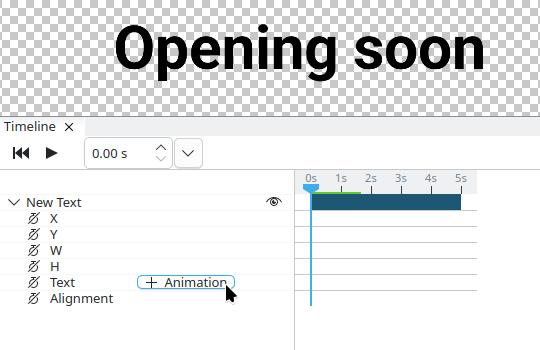
When adding a new text animator, a selector is added with it, with properties being visible below it.
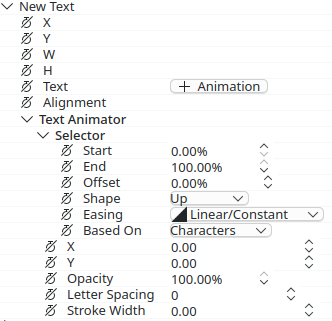
Selector Shapes
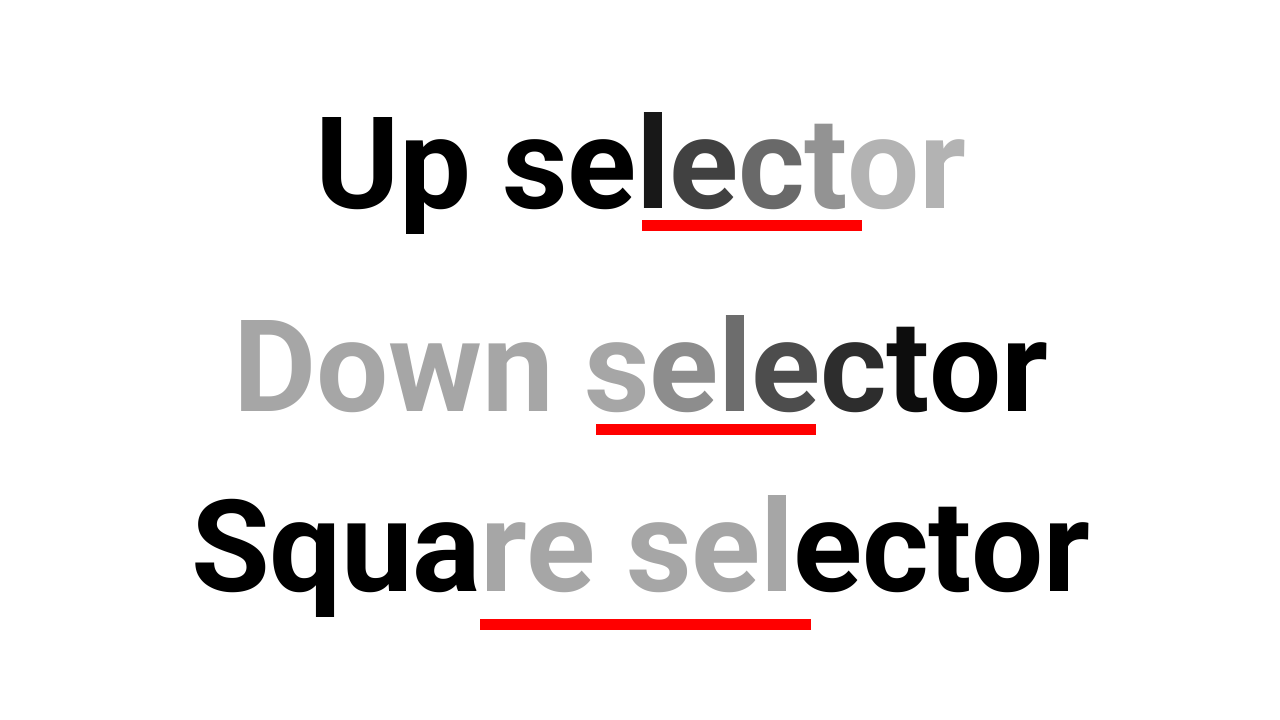
There are different selector shapes.
- Up: Transitions from
Start(values not set) toEnd(values set). - Down: Transitions from
Start(values set) toEnd(values not set). This is the reverse of Up. - Square: Sets the values inside
StartandEndto the properties.
In this example the opacity property is set to 30%, with the selector ranges underlined in red:
Selector Ranges
Ranges in the selector operate in percent of the text. They can be set with the Start and End properties.
The Start and End properties can be offset with the Offset property. This is useful when making text animations that go left→right/right→left with specific properties. The animation region can then be made smaller by lowering the End value.
The range values can also be smoothed out with the Easing property.
Use the "In" easings instead of the "Out" easings for text animators.