Exporting / Rendering
Rendering
To render a project to a video file, click on the render button on the top right corner of the program while having a project file open.
This will open the render dialog. The location of the path will by default be saved in a "Graphics" folder in your videos folder. To select a different folder, click the folder icon next to the path.
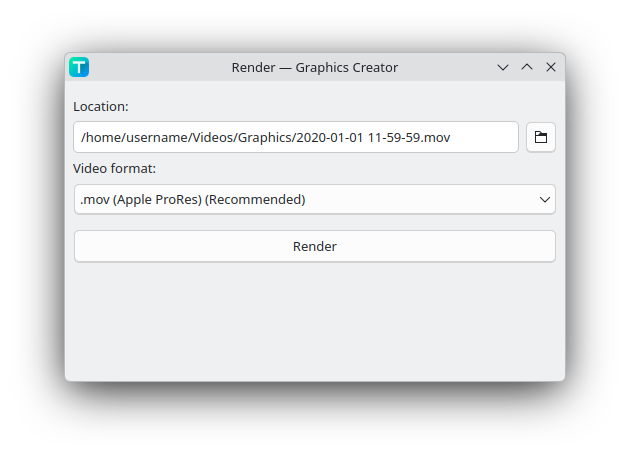
Specific video formats can be selected:
- .mov (Apple ProRes) (Recommended)
- FFmpeg encoder:
prores
- FFmpeg encoder:
- .mp4 (H264), no transparency
- FFmpeg encoder:
libx264
- FFmpeg encoder:
- .mp4 (H264), no transparency, NVIDIA
- FFmpeg encoder:
h264_nvenc
- FFmpeg encoder:
- .webm (VP9)
- FFmpeg encoder:
libvpx-vp9
- FFmpeg encoder:
When rendered, then a video file will appear in the render dialog. This file can then be dragged into a video editing program like Kdenlive.
Rendering with the CLI
You can also render using the CLI.
graphics-creator --render "output.mp4" --encoder "libx264" "input.gcp"
The last argument is the project filename.
| Flag | Description |
|---|---|
--render | Specifies to what video filepath the project is rendered to. |
--encoder | Sets the FFmpeg encoder. The list of encoders can be found when running ffmpeg -encoders. |
--overwrite / -y (optional) | If the output filepath already exists, then by default it does not overwrite it. Use this flag to overwrite the file. |