Linux: CLion
Before continuing, if starting on a new plugin, you have to download the plugin sample. This is available on the GitHub release page in "Assets". Then extract it into a new folder with the name of your plugin.
1. Install libraries
To be able to build, you may have to install certain libraries:
# Fedora
sudo dnf install libstdc++-static
2. Load CMake
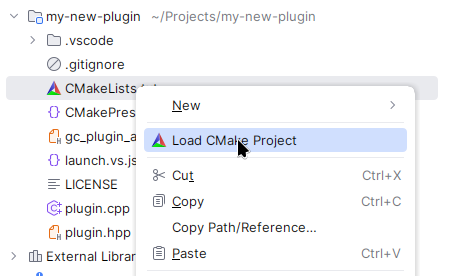
In CLion with the project open, right click on CMakeLists.txt, then click on "Load CMake Project".
3. Select CMake Profiles
By default, CLion doesn't use the project profile presets, so you have to enable them manually.
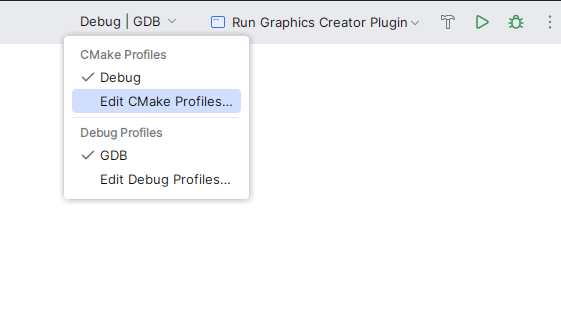
To do this, on the top right corner select "Debug | GDB" and then "Edit CMake Profiles...":
Then delete the default "Debug" profile:

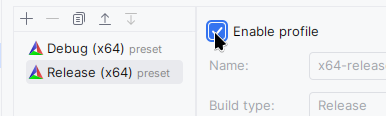
And enable the preset profiles:
4. Test in release
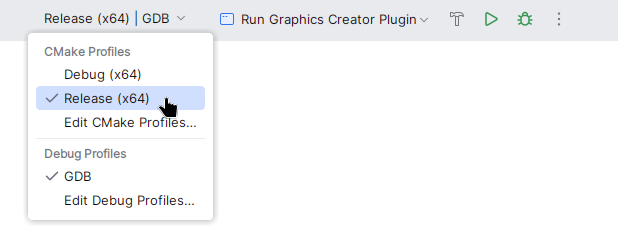
In case you want to test or build in release mode, which is recommended for distribution, switch the target next to the run button.